
Cybernetics Executive Education

Office automation masterclass

AI for Office Automation

Use Google Antigravity to turn repeat office tasks into workflows your team can check and reuse.

2 days · On campus · Up to 20 people

Individual fee
RM1,500
Next intake
December 2026 · exact dates by enquiry
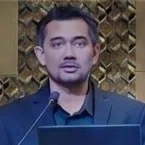
1:03 · Bahasa MelayuOffice workflows explained
Read video overview

The presenter uses office examples, including invoices, PDFs and HR documents, to explain how an AI workflow can help a team work in Excel.

Register with Cybernetics College bookings · +60 3-9285 3739
Daily hours
9.00 am to 5.00 pm each day
Location & delivery
KTAC Computer Lab, Kompleks Maluri

Workflows you’ll build

HR & payroll

Start with
An employee spreadsheet and a letter template.
Build
A batch of personalised offer letters.
Review
Check names, clauses and payroll calculations.

Documents

Start with
Scanned invoices, receipts and PDF tables.
Build
A structured Excel record and named folders.
Review
Check extracted values against the originals.

Procurement

Start with
Supplier quotations and branch requests.
Build
A supplier comparison and matched order records.
Review
Reconcile purchase orders (PO), delivery orders (DO) and invoices. Flag exceptions for review.

Reporting

Start with
CRM records and departmental spreadsheets.
Build
A clean dataset, a KPI dashboard and a reusable skill.
Review
Test the workflow with a second set of files.

Study plan

Day 1

Foundations & documents

  • Set a goal for an AI agent, limit its file access and decide which outputs need human review.
  • Navigate a Google Antigravity workspace using simulated business files.
  • Generate a batch of offer letters and verify payroll calculations.
  • Plan folder structures, archive files and apply consistent names in batches.

Guided practice, questions and a Day 1 showcase.
Day 2

Data & business operations

  • Turn PDF tables, receipts and invoices into structured Excel records.
  • Combine branch requests and build a supplier comparison from quotations.
  • Reconcile purchasing records, clean CRM data and build an executive dashboard.
  • Package a workflow as a custom skill and demonstrate it in the capstone showcase.

Test a reusable skill and present it in the capstone showcase. Both days include time for questions.

Four workflow demonstrations

  1. Plan
  2. Execute
  3. Review
  4. Reuse

Start with a familiar task, such as copying a chat response into Word and reformatting it by hand. Then give the agent a goal and working files, review its changes and save the sequence for the next run. You practise file permissions, overwrite protection and human sign-off with simulated records.

Folder and file sorting
Inspect a disorganised downloads folder and approve a relocation plan before any files move.
Editing Word and Excel in place
Update an existing document or spreadsheet while retaining its letterhead, formatting and formulas.
Receipts and invoices into Excel
Extract line items from JPG or PNG receipts and PDF invoices, then check totals using Excel SUM formulas.
Meeting minutes and forms
Turn a recording into SPSK PK07 meeting minutes and transfer reviewed fields into a browser form using Chrome MCP.
What you’ll take away
HR documents
Generate individual offer letters from an approved template and check payroll figures against a source spreadsheet.
Purchasing records
Extract invoice data into Excel, compare supplier quotations and flag mismatches across purchasing documents.
Reusable reporting
Clean customer data, build a KPI dashboard and save a recurring process as a custom AI skill.

Before you join

154-4-10, Kompleks Maluri, Jalan Jejaka, Taman Maluri, 55100 Kuala Lumpur · View map

Who it’s for
Business owners, operations managers, HR, payroll, procurement and administrative teams familiar with Microsoft Office or Google Workspace.
Tools you’ll use
Google Antigravity · Microsoft Word · Microsoft Excel
Next intake
Ask the team for the exact dates and availability. The workshop accommodates up to 20 participants.
Included
Includes both training days, guided exercises, practice files, templates, a participant showcase and an e-certificate on completion.
HRD Corp
The programme is listed as 100% HRD Corp claimable under SBL-Khas, subject to employer eligibility and HRD Corp approval. Ask the team for the claim documents.
Your trainerHRD Corp Accredited AI Trainer

The masterclass trainer holds a master’s degree in AI from Universiti Pendidikan Sultan Idris (UPSI) and has trained government and private-sector teams.

Common questions

Do I need programming experience?

Basic Microsoft Office or Google Workspace skills are enough. The exercises use plain-language instructions and guided practice.

What should I prepare?

Check laptop, account and software requirements with the team before class. The workshop provides simulated files for the exercises.

Can our company host a session?

Yes. On-site delivery at a client facility can be discussed with the team, including dates, venue and quotation.

Is the December class online?

The December 2026 intake runs in person at the KTAC Computer Lab. Both days run from 9.00 am to 5.00 pm. Contact the team for the confirmed dates.

Can my employer claim the fee?

The course is listed as 100% HRD Corp claimable under SBL-Khas, subject to employer eligibility and approval. The team can provide the claim documents.

Will we use our company’s live records?

Exercises use simulated enterprise files and templates. You practise permissions, safe file changes and review. Check with your organisation before bringing sensitive records.

AI for Office Automation

December 2026 · exact dates by enquiry